

 English
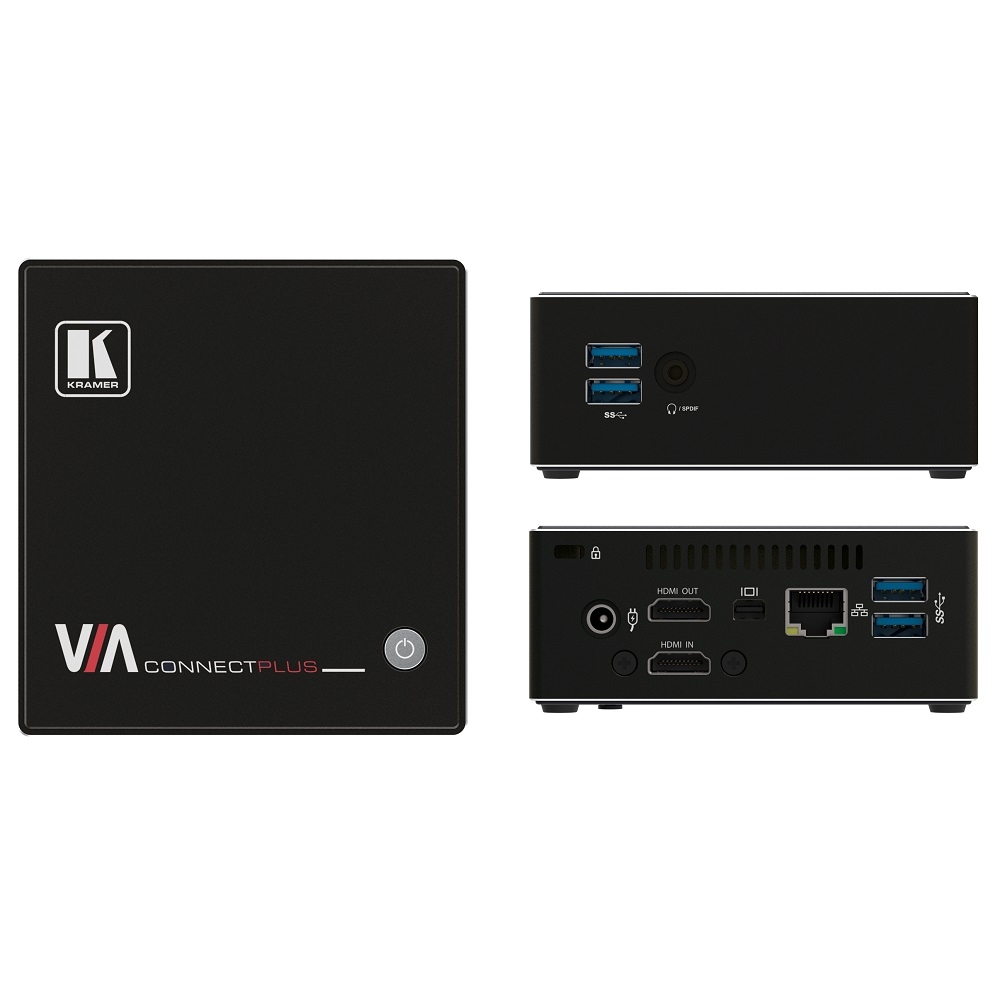

Bộ trình chiếu không dây VIA Connect PLUS
Mô tả ngắn
HDMI Input for hardwiring a computer or other HDMI compatible device
Login using conventional Wi–Fi or LAN connections
Powerful security features: user authentication, 1024–bit encryption, dynamic room code
Supports Windows laptops and MAC, as well as iOS and Android mobile operating systems
High quality video streaming, supports full HD 1080p/60 (using the VIA app Multimedia feature)
Connect & collaborate with industry leading, Zoom™, BlueJeans™ and Teams™ apps
Optimized for video conferencing

Hotline: 0918 642 886
VIA Connect PLUS provides simultaneous wired and wireless presentation and collaboration for a variety of spaces with no need for any additional hardware. This cost−effective solution includes all the benefits of VIA Connect PRO together with an HDMI input. With any laptop or mobile device, meeting participants can display or stream full uninterrupted HD video (up to 1080p60), images and documents, or share any size file. The whiteboard feature lets you annotate, sketch out ideas or edit shared documents on the main display from your device.
VIA Connect PLUS features iOS mirroring via AirPlay™, Windows & Android mirroring via Miracast™, as well as ChromeBook mirroring. You can show up to four user screens on a single main display. The VIA Versa feature allows users to wirelessly connect to the professional grade camera and AV in their meeting spaces easily and instantly.
- HDMI Wired Input — Enables hard–wiring your computer or other HDMI compatible device such as a camera, multimedia player or computer. Note: Does not support HDCP signals.
- 60fps Streaming Multimedia — Share HD wireless video streaming (using the VIA app Multimedia feature).
- Wireless Connection for up to 254 Devices — Utilizing Compatible External Wireless Network.
- iOS and Android Mirroring.
- Optimized for Video Conferencing — VIA Versa feature allows users to wirelessly connect to the professional grade camera and AV in their meeting spaces easily and instantly.
Seamless Live Video Streaming — Stream live content from meeting rooms, classrooms and studios using RTMP/RTMPS to all the leading platforms, like YouTube™, Kaltura™, Panopto™ and more
- Wireless Device Connectivity — No dongle needed.
- DHCP Support.
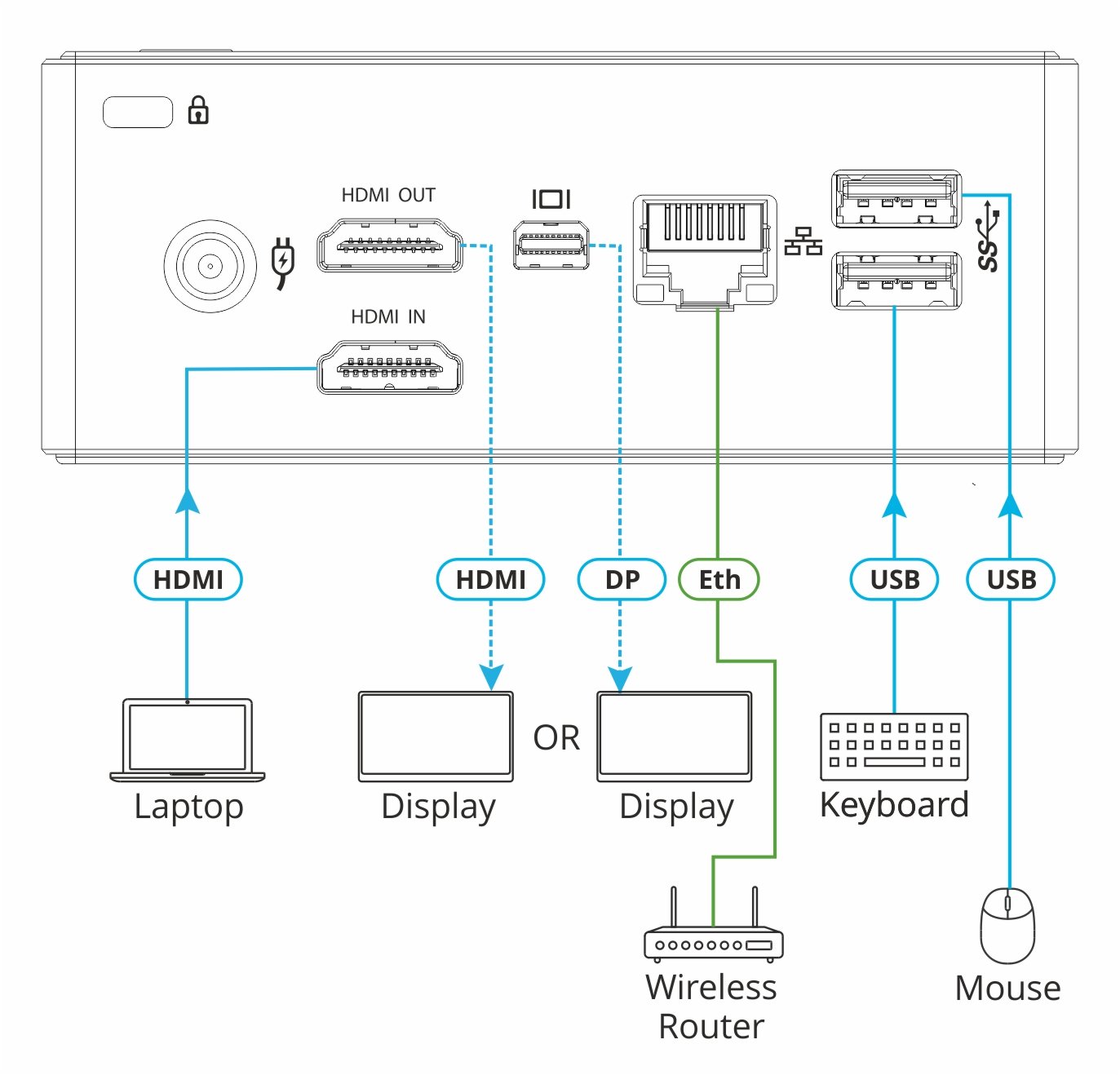
- Graphic Output Formats — Outputs to either an HDMI or Mini DisplayPort display. Note: Does not support graphic output to both the HDMI and Mini Display Port simultaneously.
- Cloud–Based File Sharing — Drag and drop files to the internal VIA cloud storage (32GB).
- Whiteboard Support.
- Connect & Collaborate — With industry leading Zoom™, BlueJeans™ and Teams™ apps, pre–installed on your VIA device.
- Control — Give a participant control over a presenter’s PC for true collaboration.
- Chat — Send an instant message to another user.
- Digital Signage — Enables you to display dynamic content and information on the main display when there is no meeting in progress. Use a predefined template or create your own display configuration with up to three frames of content that appear simultaneously. Schedule campaigns (content configurations) to run automatically at specific dates and times.
NOTE: All VIA devices purchased after June 1, 2019 include the Digital Signage feature. If your device was purchased before that date, the feature can be purchased separately, see the ACCESSORIES & RELATED PRODUCTS tab.
- iCloud, OneDrive, Google Drive and Dropbox Integration.
- Seamless Integration with VIA Site Management (VSM) Software & the VIA Pad
- Multilingual Support — Experience VIA in your language.
PORTS
-
4 USB: On USB 3.0 Type A connector
-
1 LAN: On an RJ–45 connector
INPUTS
-
1 HDMI: On a female HDMI connector
OUTPUTS
-
1 HDMI: On a female HDMI connector
-
1 DisplayPort: On a mini DisplayPort connector
-
Note: Does not support graphic output to both the HDMI and mini DisplayPort simultaneously
-
1 Headphones/Speakers: On a 3.5mm mini jack
VIDEO
-
Max. Resolution for the HDMI Input: 1080p@60Hz
-
Web Conferencing Cameras Tested with VIA Versa Feature: Logitech MeetUp, Logitech C270, Logitech BCC950, Logitech C525, Logitech Brio UHD PRO, Logitech C310, Logitech C922, Logitech Rally, Avaya HC020, Avaya HC050, Huddly GO, Yamaha CS700, Minrray MG100A, Microsoft Livecam HD–3000, TedGem 1080p, Vaddio HuddleSHOT, Yealink UVC80, Bose Videobar VB1, BIAMP Devio SCR–20, BIAMP Devio SCR–25
-
Video Conferencing Apps Tested with VIA Versa Feature: Skype for Business, Skype, Teams, Zoom, Google Meet, BlueJeans, LifeSize Cloud
-
All brand names, product names, and trademarks are the property of their respective owners
GENERAL
-
Processor: 4th generation Intel® Dual core 1.4GHz
-
Main Memory: 4GB, high speed
-
Storage: 32GB, solid–state drive
-
LAN: Gigabit LAN
-
Audio: Analog or embedded HDMI, S/PDIF Realtek ALC269
POWER
-
Supply: 65W power adapter (19V, 3.4A)
-
Input Voltage: 100V~220V AC, 50/60Hz, auto sensing
ACCESSORIES
-
Included: Power cord, Kramer HDMI Male to Female cable extender, VESA mounting bracket
PRODUCT DIMENSIONS
-
11.80cm x 11.50cm x 4.00cm (4.65" x 4.53" x 1.57" ) W, D, H
PRODUCT WEIGHT
-
0.5kg (1.1lbs) approx.
Sản phẩm liên quan

Kramer VIA CONNECT3 Compact & Secure 4K Wireless Presentation and Collaboration Solution
Wireless content sharing and collaboration applications
Optimized for video conferencing using room peripherals “VIA Room Devices"
Dual WiFi for simultaneous Guest Access Point and Miracast connections
HDMI input enabling simultaneous wired and wireless presentation
4K HDMI output
Support for launching 3rd party web applications
Wireless sharing from Miracast™ and AirPlay™
Powerful security features with advanced encryption
Centralized cloud management with VSM Cloud

Kramer VIA GO3 Compact & Secure 4K Wireless Presentation Device
Connect using conventional Wi–Fi and/or LAN
Supports Windows™ and Mac™ laptops, Chromebooks™, iOS™ and Android™ mobile operating systems
Four participants can present simultaneously

Wireless content sharing and collaboration applications
Optimized for video conferencing using room peripherals
Local video streaming output to large displays
Direct run of 3rd party web applications
Wireless sharing from Miracast™ and AirPlay™
Powerful security features
Switched enabled wired input
Centralized cloud management and control

Conferencing & Wireless Screen Sharing Kit
Main platform hardware and touch panel controller
Pre–Installed Zoom Rooms®* application
Dual 4K display output
Powerful security features